
Free WhatsApp Link Generator
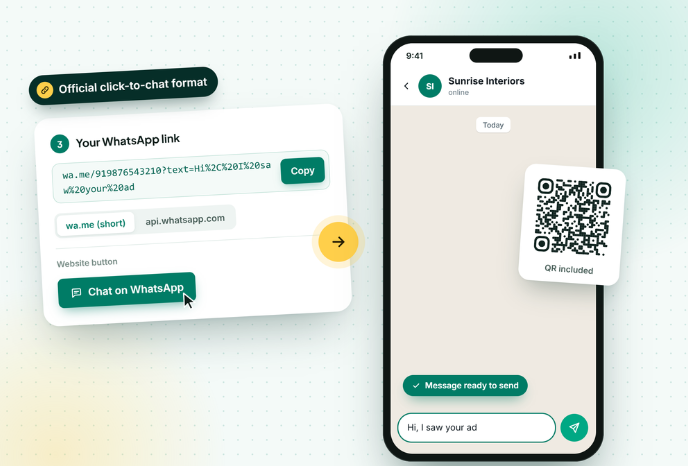
Create a wa.me click-to-chat link with a pre-filled message in seconds. Copy it into your Instagram bio, ads, emails or website, and every click opens a chat with you.
Generate your WhatsApp Sharable Link Now
How to create a WhatsApp link in 4 steps
Create a link in under a minute and use it anywhere you can paste a URL.
1️⃣
Pick your country code
Choose your country, then type your WhatsApp number. Skip the leading 0 and any + or dashes; the tool cleans them for you.
2️⃣
Write the first message
Pre-fill the message the customer will send, like “Hi, I want to order the blue kurta”. Use the buttons for bold, italic and emoji.
3️⃣
Copy the link
Your wa.me link updates as you type. Copy it, test it, or download it as a QR code.
4️⃣
Paste it everywhere
Add it to your Instagram or TikTok bio, Google Business Profile, Facebook ads, email signature and website buttons.
What is a WhatsApp link?
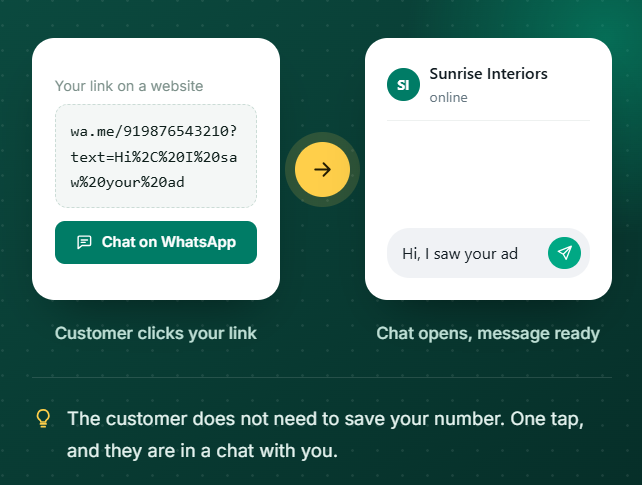
Click-to-chat is an official WhatsApp feature. It works on Android, iPhone, WhatsApp Web and WhatsApp Desktop, and the person clicking does not need to save your number first.
Both formats this tool creates do the same job. wa.me is shorter and looks cleaner in bios and captions. api.whatsapp.com/send is the older long form that some ad platforms and CRMs still expect.
The number must be in full international format: country code plus number, with no +, spaces, brackets, dashes or leading zeros. A wrong format is the number one reason a WhatsApp link opens an error screen.
Where to use your WhatsApp link
Anywhere a customer can click, a WhatsApp link can start a conversation.
Instagram, TikTok and YouTube bio
Replace "DM for price" with a link that opens WhatsApp, where orders and payments are easier to handle.
Click-to-WhatsApp ads
Send ad traffic straight into a chat. Pre-fill the campaign name so you know which ad brought the lead.
Website and landing pages
Use the button code in this tool to add an inline or floating WhatsApp button without a plugin.
Email signature and newsletters
Give readers a faster reply channel than email for quick questions.
Google Business Profile
Add the link as your chat or website button so local searchers can message you directly.
Order confirmations and invoices
Let customers ask about a delivery or a return with one tap, with the order number pre-filled.
For growing businesses
More clicks means more chats. Handle them like a pro.
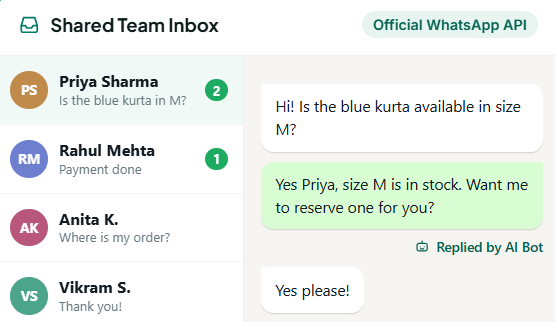
Your link brings the conversations. GreenTick gives your team one inbox, instant replies and follow-ups on the official WhatsApp Business Platform.
- Shared Team Inbox, so every chat from your link lands in one place
- Automations and AI Bot reply in seconds, even after hours
- Bulk Broadcast to reach opted-in contacts with approved templates
- Lower markup on Meta fees than most providers
Tips for WhatsApp links that convert
Small changes that turn clicks into real conversations.
Pre-fill the context
"Hi, I saw your Diwali offer on Instagram" tells you the source of every lead, without any tracking tools.
Keep the message short
Under 200 characters. Long pre-filled messages look like spam and people edit them anyway.
Use a different message per channel
One link for your bio, another for ads, another for email. Count the messages to see what works.
Test on a phone that is not yours
Clicking your own link opens a chat with yourself. Test from another number.
Use a QR for offline
Links cannot be clicked on paper. Download the QR version for print.
Reply fast
A click-to-chat lead goes cold in minutes. Set up an instant auto-reply for when nobody is available.
WhatsApp link generator FAQs
How do I create a WhatsApp link?
Enter your country code and number in the generator above, add an optional pre-filled message, and copy the link. It uses the format https://wa.me/ followed by your full number, with no + or leading zero.
How do I create a WhatsApp link with a pre-filled message?
Type your message in the Pre-filled message box. The tool URL-encodes it and adds ?text= to your link, so the message appears in the customer’s chat box when they click.
Is the WhatsApp link generator free?
Yes. It is completely free with no signup and no limits. The links never expire because they are standard WhatsApp click-to-chat URLs.
What is the difference between wa.me and api.whatsapp.com?
Both open a chat with your number. wa.me is the short official format and is best for bios and captions. api.whatsapp.com/send is the older long format that some tools still require.
Why is my WhatsApp link not working?
Can I use a WhatsApp link without saving the number?
How do I add a WhatsApp link to my Instagram bio?
Can I track clicks on a WhatsApp link?
WHATSAPP BUSINESS API
The Meta Verified WhatsApp API that doesn't tax for growing
Get started today.
* No Credit Card Required
✅ Bulk Broadcast
✅ Mobile Dashboard Access
✅ Shared Team Inbox
✅ Automated Workflow Engine
✅ AI Chat Bot
✅ Personalised Messaging
✅ Scheduled Campaign
✅ Coexistence