
WhatsApp marketing
that reaches more of your list,
at Meta's own rates
Plan, send and follow up on campaigns from one dashboard built on the
official Meta WhatsApp Cloud API. GreenTick adds 0% markup to your
message charges and automatically retries the messages Meta holds back.
* No credit card required.

0% markup
on Meta’s WhatsApp message rates
24-hour retry
for messages Meta holds back
Official Meta API
built on the WhatsApp Cloud API
7 days free
every tool unlocked, no card needed
Trusted by smart businesses making the switch.





Three places a WhatsApp
campaign quietly loses money
Most marketers look at the template and the offer. The losses usually sit somewhere else,
and each one has a fix inside GreenTick.
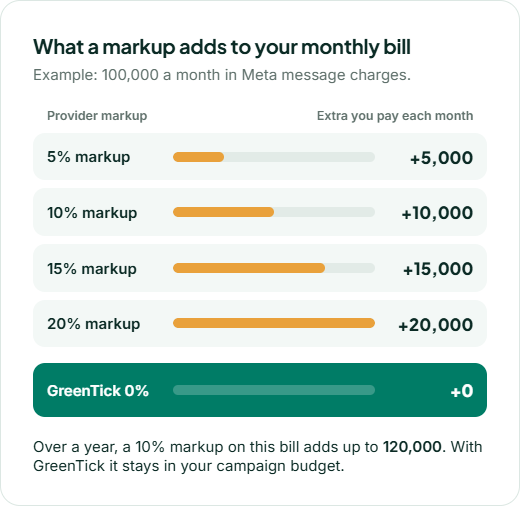
A markup on every
message
Meta charges for each marketing template it delivers. Many providers add their own percentage on top, so the bigger your campaign, the more you overpay.
GreenTick fix
0% markup. You pay Meta's rate plus a flat platform plan.
Messages Meta never delivers
Meta limits how many marketing messages one person receives across all businesses. Past that limit, your message fails with error 131049, even when your number and template are fine.
GreenTick fix
Tick one box and those messages are sent again 24 hours later.
Replies nobody follows
up
A good broadcast brings a rush of replies. When they sit unanswered for hours, the warmest leads of the campaign go cold, and the money spent reaching them is wasted.
GreenTick fix
Automations & the AI Bot reply instantly. Your team takes over in Live Chat.
Built into every broadcast
One checkbox that
gives blocked messages
a second chance
When Meta holds a marketing message back to keep its
ecosystem healthy, most campaigns simply lose that
contact. Tick Retry ecosystem failures after 24 hours on the
New Broadcast screen and those messages go out
again once your broadcast has finished.
- Targets only the messages Meta blocked, not the ones already sent
- No exporting failed numbers or rebuilding the campaign by hand
- Runs automatically 24 hours after the broadcast finishes
- You can turn it off any time before the retry starts
Meta makes the final call on delivery. If a contact is still over Meta’s limit after 24 hours, that message can be held back again.
When do you want to send it?
Send now
Schedule for a specific time
Click the checkbox to see what changes.
What happens to a broadcast
- Delivered first time
- Held back by Meta
- Delivered on retry
Retry on: held-back messages are sent again after 24 hours.Retry off: held-back messages stay undelivered.
Illustration only. Real results depend on your audience and Meta's limits.
Built into every broadcast
0% markup. You pay what Meta charges and nothing on top.
Every WhatsApp marketing message carries a per-message charge from Meta. GreenTick passes that charge through exactly as it is, so your campaign budget goes into reaching customers, not into a provider’s cut.

Meta’s rates vary by country and message category. Your GreenTick platform plan is billed separately as a flat subscription. See GreenTick pricing
Everything a campaign
needs, in the order you use it
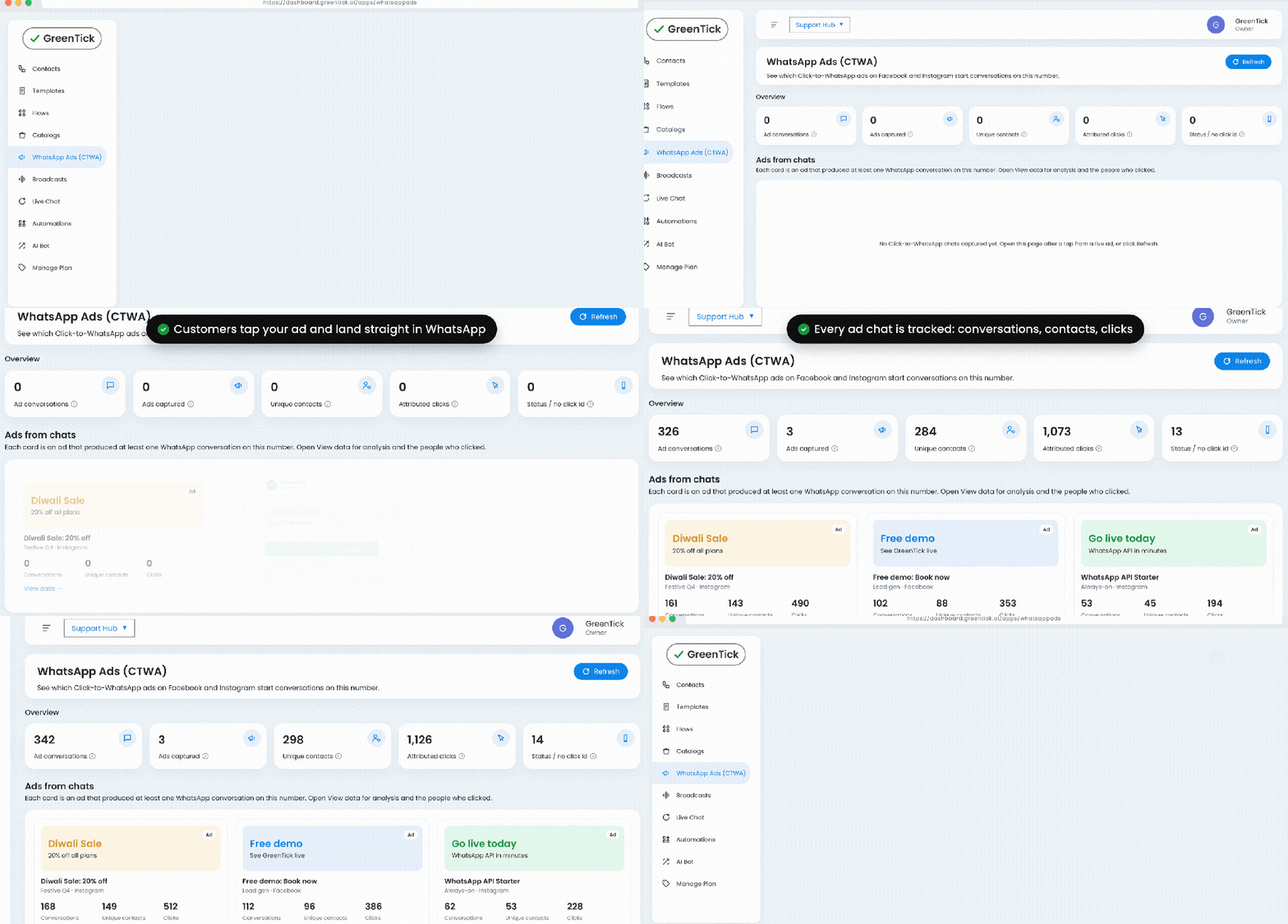
From the first ad click to the order in chat, each stage runs inside the same dashboard. Real screens, not mockups.
Grow a list that actually
wants your messages
Campaigns work when the people on the list asked to hear from you. Bring them in through ads and in-chat forms, then keep them organised for targeting.
- Click-to-WhatsApp ads on Facebook and Instagram that open a chat, not a form
- Collect names and preferences with WhatsApp Flows inside the chat
- Import contacts from a CSV or add them manually
- Group contacts with labels and custom attributes
WhatsApp Ads
Flows
Contacts
Broadcasts that read
like a personal message
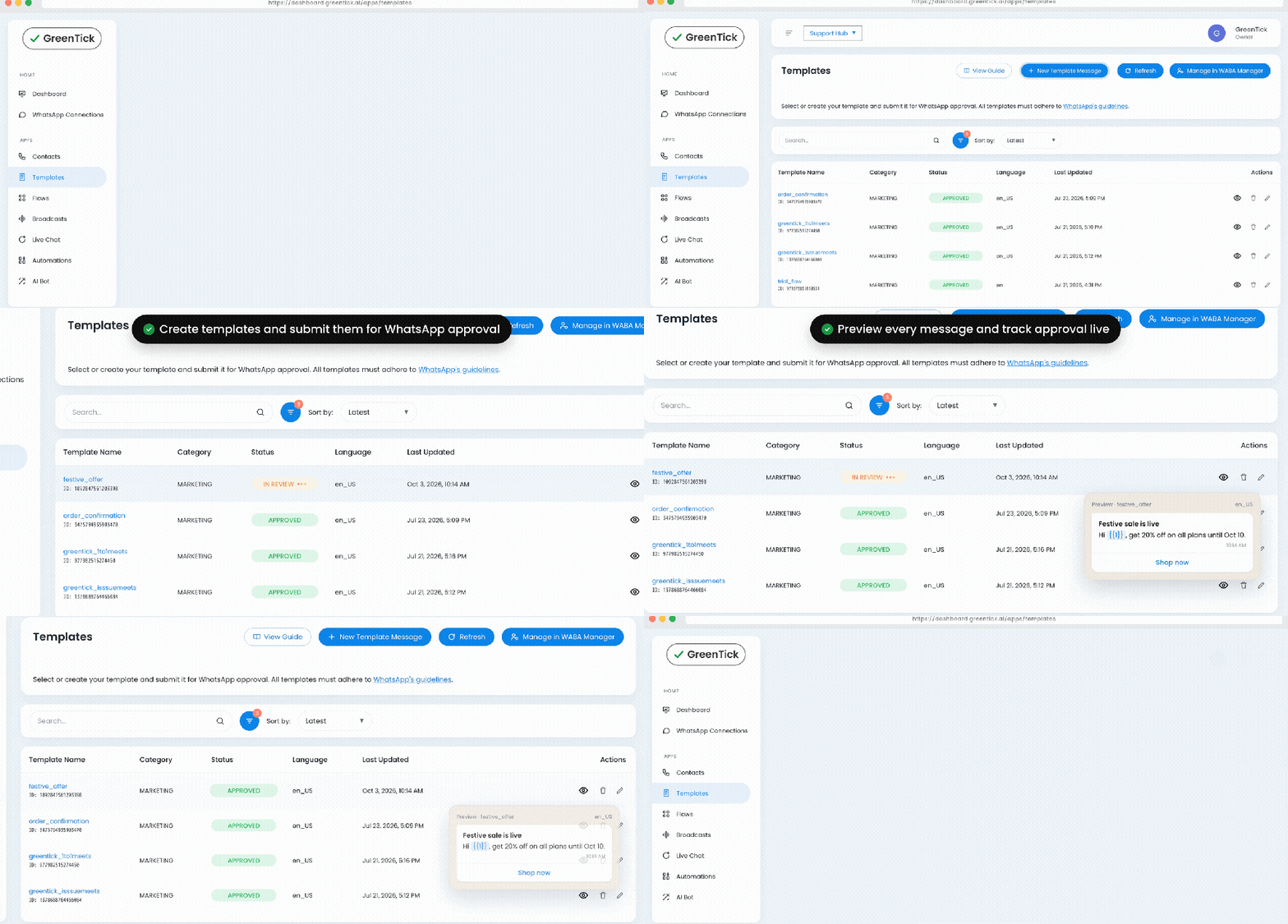
Pick an approved template, choose who gets it, and send to thousands of contacts in minutes on the official API.
- Personalise with first name and your own custom fields
- Send to an uploaded contact list or a saved label
- Send now or schedule for a specific time
- Retry ecosystem failures after 24 hours with one checkbox
- Track delivery, reads and replies in real time
Broadcasts
Templates
Contacts
Replies answered the
second they arrive
The hour after a broadcast is when interest is highest. Automations and the AI Bot handle the first response so no reply waits on a busy team.
- Trigger workflows on keywords, new contacts or specific events
- Send follow-ups after a broadcast without anyone clicking send
- AI Bot trained on your business answers common questions 24/7
- The bot hands the chat to a human when it needs one
Automations
AI Chat Bot
Live Chat

Turn a reply into an order
without leaving the chat
Sending customers to a website is one more step where you lose them. Put your products inside the conversation and let your team close from a shared inbox.
- Share your WhatsApp Catalog in a template or broadcast
- Customers browse, add to cart and send the order in chat
- Every reply lands in one inbox your whole team can see
- Assign chats to teammates and leave internal notes
Catalog
Live Chat
Manage Team
Also in your dashboard
From the first ad click to the order in chat, each stage runs inside the same dashboard. Real screens, not mockups.
Template Manager
Build templates in Meta's exact format and see Pending or Approved status live.
Google Sheet Integration
A new row, a status change or a date in your sheet sends the right template.
Developer API
Trigger approved templates from your own website, CRM or app with an API key.
Shared Team Inbox
All agents reply from one WhatsApp number with real-time sync.
Number Coexistence
Keep the WhatsApp Business app on the same number while campaigns run from GreenTick.
Contact Management
Labels, custom attributes and full conversation history for every contact.
WhatsApp Flows
Lead forms, sign-ups and surveys that customers complete inside the chat.
Mobile access
Check campaigns and reply to customers from any mobile browser.
See your first campaign go out this week
Every tool on this page is unlocked for 7 days. No credit card required.
WhatsApp marketing for every kind of business
Pick your industry to see the campaigns teams run on GreenTick.
Online stores and D2C brands
WhatsApp marketing
for e-commerce
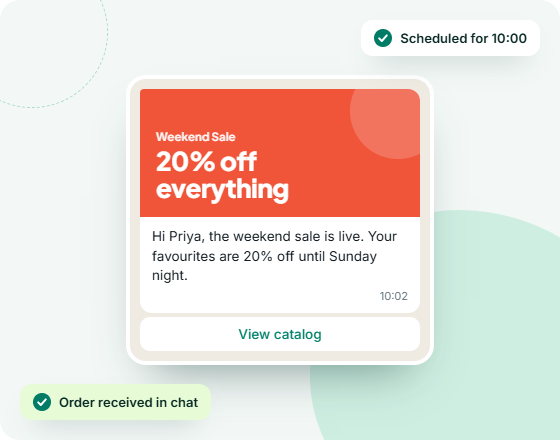
Announce drops and sales to the customers who asked to hear from you, then let them browse and order without leaving the chat.
- Sale and launch broadcasts with your catalog attached
- Customers add to cart and send the order in chat
- Win-back offers to customers who have gone quiet
Schools, institutes and edtech
WhatsApp marketing for education
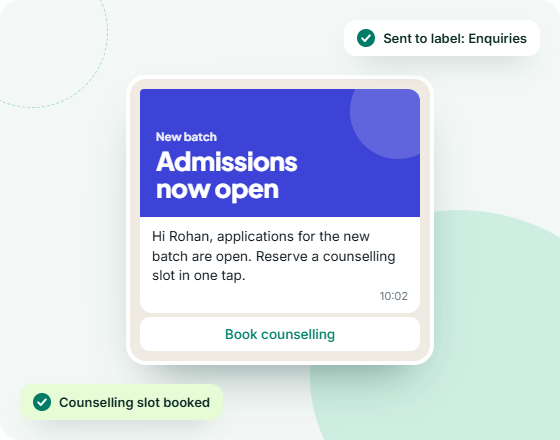
Fill batches faster by answering admission enquiries the moment they arrive, and keep students and parents updated in the chat they check every day.
- AI Bot replies to admission enquiries day or night
- Course launch and new batch broadcasts
- Fee reminders sent from your Google Sheet on the due date
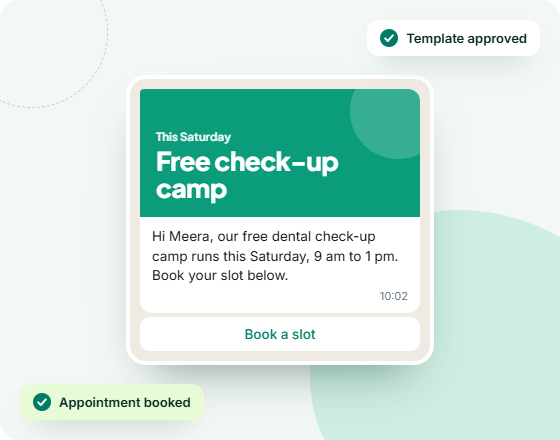
Clinics, labs and hospitals
WhatsApp marketing for healthcare
Keep your calendar full and your patients informed with campaign messages and reminders sent to people who opted in.
- Health camp and check-up campaign broadcasts
- Appointment booking through a WhatsApp Flow form
- Follow-up reminders sent automatically from your sheet
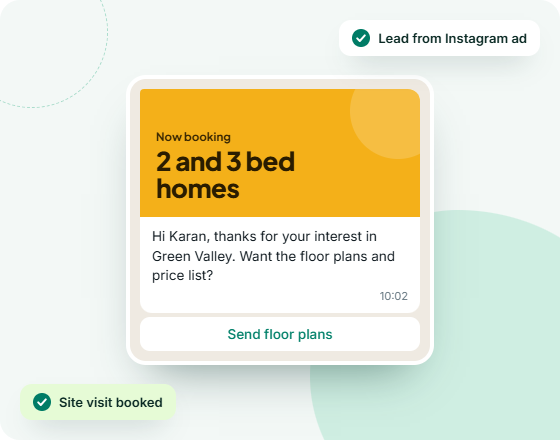
Developers, brokers and agencies
WhatsApp marketing for real estate
Turn ad clicks into site visits. Leads land in a chat instead of a form, get details instantly, and your team follows up from one inbox.
- Click-to-WhatsApp ads that open a chat with your team
- Project launch broadcasts to interested buyers
- Site visit booking with a WhatsApp Flow

Lenders, advisors and insurers
WhatsApp marketing for
finance and insurance
Reach customers before a deadline passes, and answer the routine questions without adding to your team’s workload.
- Renewal reminders that go out on the due date
- New plan and offer broadcasts to opted-in customers
- AI Bot answers common questions and hands off to an agent
Launch your first campaign in four steps
No developer and no IT team. If you can use an email marketing tool, you can run this.
1️⃣
Connect your number
Link your WhatsApp Business Account from the dashboard. You can keep your existing number. Setup guide
2️⃣
Import your contacts
Go to Contacts, then Import, and upload a CSV with names and phone numbers including country codes.
3️⃣
Get template approved
Build your message in Templates and submit it to Meta. Approval status shows on your dashboard.
4️⃣
Send your broadcast
Open Broadcasts, click New Broadcast, pick the template and audience, tick the retry box, then send or schedule.
WhatsApp marketing
questions, answered
Does GreenTick charge a markup on WhatsApp messages?
No. GreenTick adds 0% markup to Meta’s WhatsApp message charges. You pay Meta’s per-message rate for the templates you send, plus a flat GreenTick platform subscription.
What is WhatsApp error 131049?
Error 131049 means Meta chose not to deliver a marketing message in order to maintain healthy ecosystem engagement. It usually happens when the recipient has already received the maximum number of marketing messages from businesses in a given period. It is not caused by your number, your template or GreenTick.
How does the 24-hour ecosystem retry work?
On the New Broadcast screen, tick Retry ecosystem failures after 24 hours. Messages Meta blocks to maintain a healthy ecosystem are sent again 24 hours after the broadcast finishes. You can turn the retry off before it starts. Meta still decides whether each retried message is delivered.
Can I schedule WhatsApp broadcasts in advance?
Yes. When you create a broadcast, choose Schedule for a specific time instead of Send now, and GreenTick sends it at the date and time you set.
Will my number get banned for sending bulk WhatsApp messages?
Not when you use GreenTick correctly. GreenTick runs on the official WhatsApp Cloud API, unlike Chrome extensions and unofficial bulk senders. Bans come from messaging people who did not opt in or ignoring quality warnings, so send to consented contacts only. Read the safe bulk messaging guide
Do I need a developer to run WhatsApp marketing campaigns?
No. Contacts, templates, broadcasts, automations and the AI Bot are all set up from the dashboard without code. The Developer API is there only if you want your own software to trigger messages.
Can I use my existing WhatsApp number for campaigns?
Yes. With Coexistence, your number keeps working on the WhatsApp Business app and also sends campaigns from the GreenTick dashboard.
WHATSAPP BUSINESS API
The Meta Verified WhatsApp API that doesn't tax for growing
Get started today.
* No Credit Card Required
✅ Bulk Broadcast
✅ Mobile Dashboard Access
✅ Shared Team Inbox
✅ Automated Workflow Engine
✅ AI Chat Bot
✅ Personalised Messaging
✅ Scheduled Campaign
✅ Coexistence