
Click to WhatsApp ads that turn every tap into a sale
GreenTick replies to every Facebook and Instagram ad lead in seconds, qualifies them with an AI chatbot or a WhatsApp Flow form, tags them with the ad that brought them, and hands hot buyers to your team. One dashboard, on the Official WhatsApp API.
* No credit card required.

Instant reply
to every ad chat, day or night
Up to 7 days
of free messaging after each ad chat
0% markup
on Meta’s WhatsApp message charges
7 days free
every tool unlocked, no card needed
Four places your Meta ad budget quietly leaks
The ad gets the click. The money is usually lost in the minutes after it, and each leak has a fix inside GreenTick.
Slow replies to ad leads
Someone taps your ad at 9 pm and messages two other businesses by 9:05. A reply next morning arrives after the decision.
GreenTick fix
Automations and the AI Bot reply in seconds, every time.
Landing page drop-off
Every page load, form field and scroll is a reason to leave. On mobile, people leave quietly and you never learn why.
GreenTick fix
The ad opens WhatsApp, the app they already use, not a web page.
Form leads nobody calls
Lead forms pile up in a sheet. By the time someone dials, the person barely remembers filling it in.
GreenTick fix
WhatsApp Flows collect details inside the chat, while interest is high.
No line from ad to sale
Ads Manager shows messages started, not which chat became a customer, so budget follows ads that look busy.
GreenTick fix
Ad-source tags plus the Meta Conversion API close the loop.
What are click to WhatsApp ads?
Click to WhatsApp ads (also called CTWA ads) are Facebook and Instagram ads with a Send Message button that opens a WhatsApp chat with your business instead of a website. The person taps, sends a pre-filled message, and the sale continues inside WhatsApp.
- Facebook ads to WhatsApp: built in Meta Ads Manager with WhatsApp chosen as the message destination. See Meta’s setup guide.
- Instagram ads to WhatsApp: the same campaign runs on Reels, Stories and Feed once your Instagram account is connected.
- One chat, start to sale: answer questions, collect details and take the order in the same thread.
Sponsored
CTWA ads come with up to 7 days of free messaging
When someone messages you from your ad on the WhatsApp Android or iOS app and you reply within 24 hours, Meta opens a free entry point window from the moment you reply. While it is open, Meta does not charge for marketing, utility, authentication or service messages to that person, per Meta’s WhatsApp pricing documentation.
Chats started from WhatsApp desktop or web do not open the window. Meta’s own Business Agent replies are still charged inside it. Outside the window, Meta’s per-message rates apply.
What happens after someone taps your ad?
No reply in time: follow-ups are charged at Meta’s rates.
Free entry point window open: every follow-up for up to 7 days is free.
Illustration only. Meta decides how long each window stays open, up to 7 days.
How click to WhatsApp ads work in GreenTick
You keep running ads in Meta Ads Manager. GreenTick takes over the moment the chat starts. Real screens, in four stages. New to WhatsApp ads? Start with what WhatsApp ads are and how they work
Send every ad tap straight into WhatsApp
Point your Facebook or Instagram ad at the WhatsApp number connected to GreenTick. Every chat it starts shows up in one place, with the ad it came from.
- Works with the campaigns you already run in Ads Manager
- See ad chats, replies and qualified leads in the WhatsApp Ads view
- Meta passes the ad details with the first message
Answer in seconds, so the lead stays yours
An automation or the AI chatbot replies the moment the chat opens, which also starts Meta’s free messaging window. Quick reply buttons give one-tap answers instead of typing.
- Greeting tailored to the ad the person tapped
- AI Bot answers price, location and availability questions
- Quick reply buttons keep the chat moving on mobile
Collect the details your sales team needs
A WhatsApp Flow form opens inside the chat and collects budget, timeline or a preferred slot in a few taps. No landing page and no long typing.
- Name, budget, location and slot in one in-chat form
- Ask for marketing opt-in while the buyer is engaged
- Answers saved to the contact as attributes
Route hot leads and follow up without a spreadsheet
Each lead is labeled with its ad, assigned to the right teammate in the Shared Team Inbox, and Automations send the reminders. Lead and purchase events go back to Meta so your ads learn from buyers.
- Labels for ad, campaign and lead stage
- Auto-assign by city, product or round robin
- Reminders and follow-ups inside the same thread
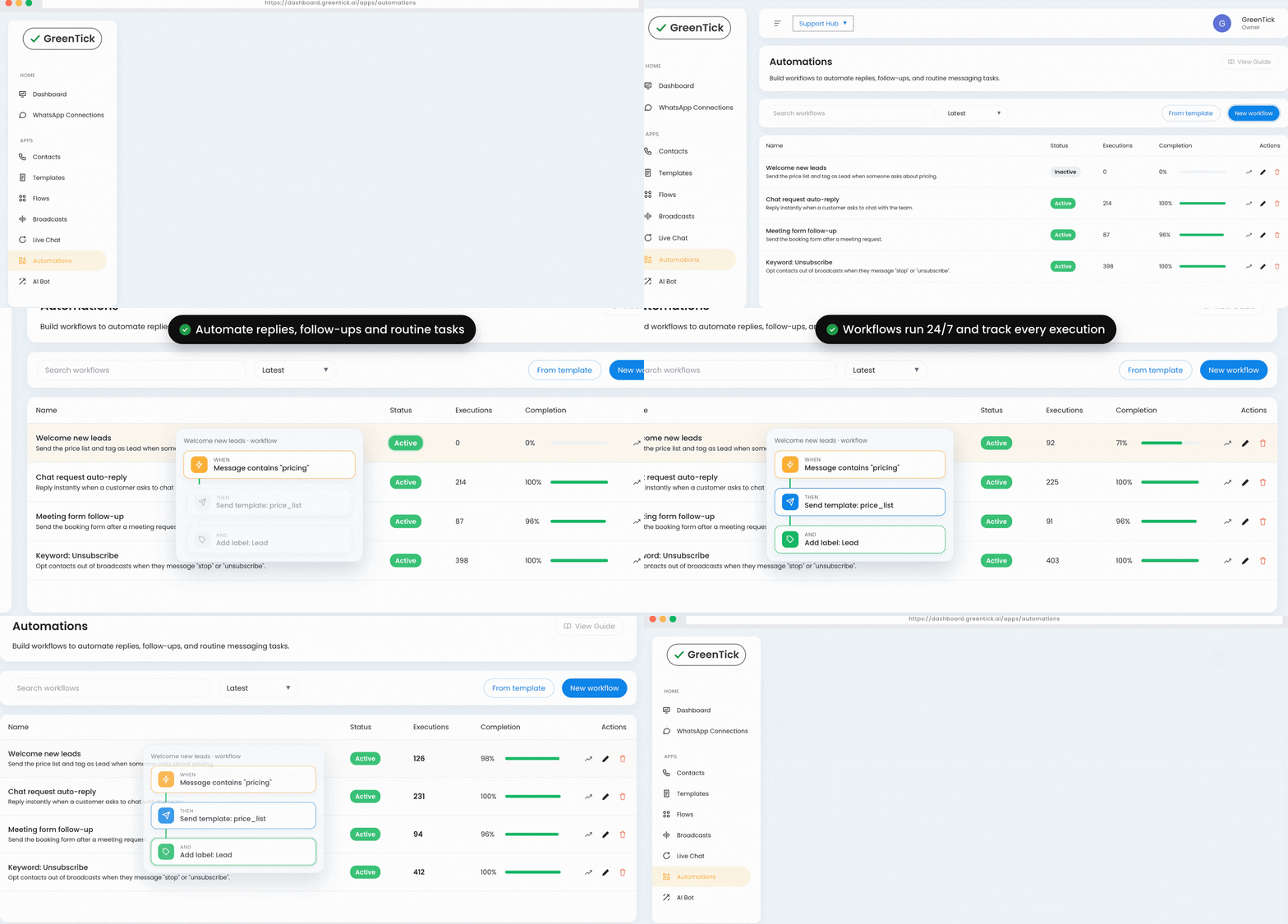
Everything that turns ad chats into sales
Every feature here exists for one outcome: more of your ad leads becoming customers, faster.
Instant auto-reply
Every ad chat answered in seconds, which also opens Meta’s free window.
AI chatbot qualification
Answers common questions and asks the qualifying ones before a human steps in.
WhatsApp Flows lead forms
Budget, location or a slot, collected in a form inside the chat.
Ad-source tagging
Every contact labeled with the ad and campaign that brought it in.
Shared Team Inbox
All agents reply from one WhatsApp number, with a clear owner per chat.
Meta Conversion API
Lead and purchase events sent back to Meta so ads optimize for buyers.
Catalog in chat
Show the product the ad promoted, so browsing turns into ordering.
Mobile access
Reply to ad leads and check results from any mobile browser.
Point one live ad at GreenTick this week
Every tool on this page is unlocked for 7 days. No credit card required.
Landing page funnel vs click to WhatsApp ads
Same ad budget, two very different journeys after the tap.
| Stage | Landing page funnel | Click to WhatsApp ads + GreenTick |
|---|---|---|
| Where the tap lands | A web page that has to load, then convince | A WhatsApp chat the buyer already uses daily |
| First response | Form submitted, then a wait for a callback | Instant reply from your bot or automation |
| Collecting details | Multi-field form on a small screen | Flow form or AI questions inside the chat |
| Follow-up | Manual calls and emails from a spreadsheet | Automations send reminders in the same thread |
| Team handling | Leads forwarded across sheets and phones | Shared Team Inbox with one owner per chat |
| Measuring what worked | Clicks and form fills | Ad-source tags plus purchase events sent to Meta |
| Messaging cost after the tap | Not applicable | Free inside Meta’s window, up to 7 days |
What most people get wrong about click to WhatsApp ads
They judge the ad by cost per conversation started. That number shows how cheap the chat was, not whether it paid. A cheap chat nobody answers for six hours is the most expensive lead you will buy. Landing pages still win for long, research-heavy decisions; CTWA wins whenever a question stands between the buyer and the purchase.
WhatsApp ads for every kind of business
From India and the UAE to Brazil, Nigeria and the UK: one clear offer, one quick qualifying step, one handoff. Pick your industry.
Developers, brokers and agents
WhatsApp ads for real estate
Turn property ad taps into booked site visits, with each lead routed to the agent for that area.
- Ad: floor plan and price list on WhatsApp
- Flow: budget, configuration and a site visit slot
- Outcome: site visits booked straight from the chat
Coaching, colleges and edtech
WhatsApp ads for education
Counselors talk to students who have already shared what they want to study and when.
- Ad: brochure and next batch dates
- Flow: quick replies for course and city, then a counseling slot
- Outcome: more counseling calls with ready-to-enroll students
Clinics, dental and wellness centers
WhatsApp ads for clinics
Appointments booked and reminded in one chat. Health ads still follow Meta’s advertising policies.
- Ad: book a consultation slot
- Flow: treatment interest and preferred date
- Outcome: fewer no-shows with automated reminders
Online stores and D2C brands
WhatsApp ads for D2C brands
Let shoppers browse, ask and order without leaving the chat the ad opened.
- Ad: product creative with Shop on WhatsApp messaging
- Flow: catalog item in chat, AI Bot answers size and delivery
- Outcome: orders in chat, unfinished chats followed up
Travel agencies and tour operators
WhatsApp ads for travel
Send personalized quotes while the trip is still a daydream, not a week later.
- Ad: a ready itinerary delivered on WhatsApp
- Flow: dates, number of travelers and budget range
- Outcome: quotes sent while interest is at its peak
Salons, spas and beauty studios
WhatsApp ads for salons and spas
Fill quiet weekday slots straight from the ad, with a reminder the day before.
- Ad: a weekday package with open slots
- Flow: quick replies for service, Flow form for the slot
- Outcome: quiet slots booked, reminders sent automatically
Brand names in these examples are fictional.
From ad tap to human handoff in one chat
A sample conversation from an Instagram ad, with what GreenTick does behind each message.
- Replied instantlyand opened Meta’s free messaging window
- Tagged the contactInstagram ad, Skyline 2 BHK campaign
- Qualified the leadwith quick replies and a Flow form
- Assigned the chatto Riya in the Shared Team Inbox
- Scheduled a reminderfor the day before the visit
- Sent a lead eventto Meta through the Conversion API
Sample conversation for illustration. Names and project are fictional.
Click to WhatsApp ads pricing, with 0% markup
Running CTWA ads involves three separate costs. GreenTick adds nothing on top of Meta’s message charges, so your budget goes into reaching buyers, not into a provider’s cut.
Meta’s message rates vary by country and category. Your GreenTick plan is billed separately as a flat subscription. See GreenTick pricing
What each cost covers
What you need before your first ad goes live
If you already advertise on Facebook or Instagram, you likely have most of this. Anything missing is a one-time setup.
A verified Meta business portfolio
Formerly Business Manager. Complete business verification once.
A Facebook Page
The Page your ads run from. Connect Instagram too for Instagram placements.
That number linked to your Page
So Ads Manager can send ad taps to it as a WhatsApp destination.
Payment methods in Meta
One on your ad account and one in Billing Hub for message charges.
A first reply ready
An automation, AI Bot or Flow in GreenTick, so lead one gets answered instantly.
Number on the WhatsApp Business app today? Our WhatsApp Business API setup guide explains your options.
Click to WhatsApp ads questions, answered
How much do click to WhatsApp ads cost?
There are three parts: your ad spend in Meta Ads Manager, Meta’s WhatsApp message charges, and your GreenTick plan. Messages are free inside Meta’s free entry point window and follow Meta’s per-country rates outside it. GreenTick adds 0% markup on Meta charges; plan details are on the pricing page.
Is messaging free after someone clicks my WhatsApp ad?
Yes, for a limited time. If the person messages you from the ad on the WhatsApp Android or iOS app and you reply within 24 hours, Meta opens a free window that can stay open for up to 7 days. Inside it, marketing, utility, authentication and service messages to that person are free. Chats from WhatsApp desktop or web do not open it.
Should I run click to WhatsApp ads on Facebook or Instagram?
You can run the same ad on both, and a tap from either opens WhatsApp. Run both placements, compare cost per qualified lead using GreenTick’s ad-source tags, then move budget to whichever brings buyers.
Can my whole team reply to WhatsApp ad leads from one number?
Yes. Ad leads land in the Shared Team Inbox, where you assign chats, see who is replying and avoid two people answering the same buyer. Team seats depend on your plan.
Will running WhatsApp ads get my number banned?
The ads are a Meta product, so running them is not the risk. Risk comes from what you send afterward, such as promotions to people who never opted in. GreenTick runs on the Official WhatsApp API, built to Meta’s rules, so ban risk is far lower than with unofficial tools. Our WhatsApp ban guide covers the habits that keep a number healthy.
Can I send offers to ad leads after the free window closes?
Yes, with an approved template and the person’s opt-in. Outside an open window, businesses can only start conversations with templates. The easiest moment to collect opt-in is inside your Flow form while the buyer is still chatting.
Do I need the Official WhatsApp API to run click to WhatsApp ads?
Not strictly, since businesses on the WhatsApp Business app can run these ads too. The API matters once leads arrive: instant automated replies, AI qualification, Flow forms, a shared inbox and Conversion API tracking all need it.
How do I know which ad brought in a sale?
GreenTick tags every ad lead with the ad and campaign it came from, so you can follow it to purchase. With the Meta Conversion API connected, lead and purchase events also go back to Meta, so Ads Manager can optimize toward people who buy.
Which GreenTick plan includes click to WhatsApp ads?
WhatsApp Ads is included in the Standard plan and above, with the AI chatbot, WhatsApp Flows, catalog and Meta Conversion API. Every tool is unlocked during the 7-day free trial.
Make your next ad tap your next sale
Your ads already buy the attention. GreenTick makes sure the first reply, the follow-up and the handoff happen fast enough to turn it into revenue.
Start 7-day free trial* No credit card required